Quick add
An amount keypad, category icons, accounts and payees one tap away, and recent transactions to repeat in one tap.
Native apps for your own LedgerFly server. Sign in with your server address, email and password, and your ledger is with you everywhere.
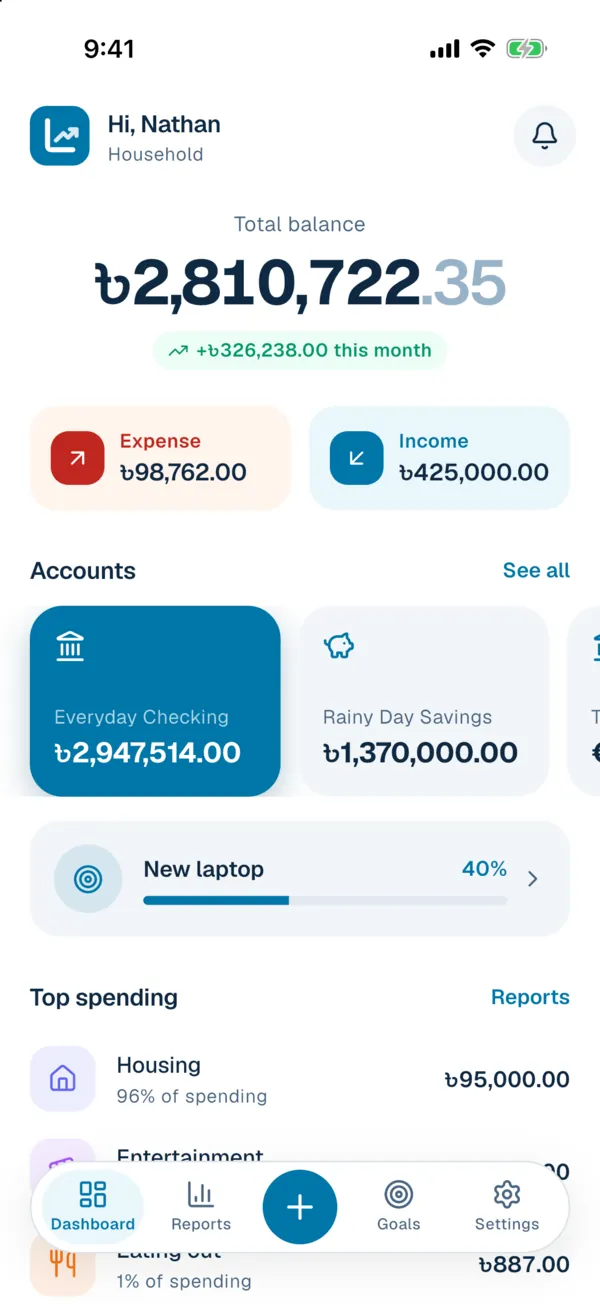
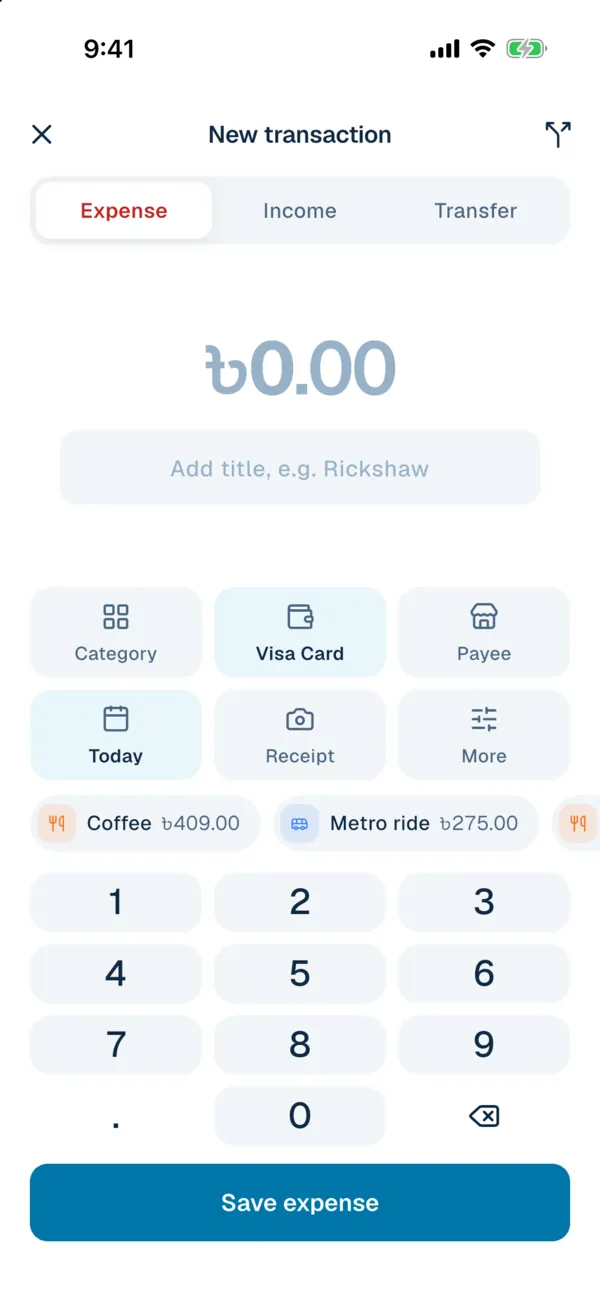
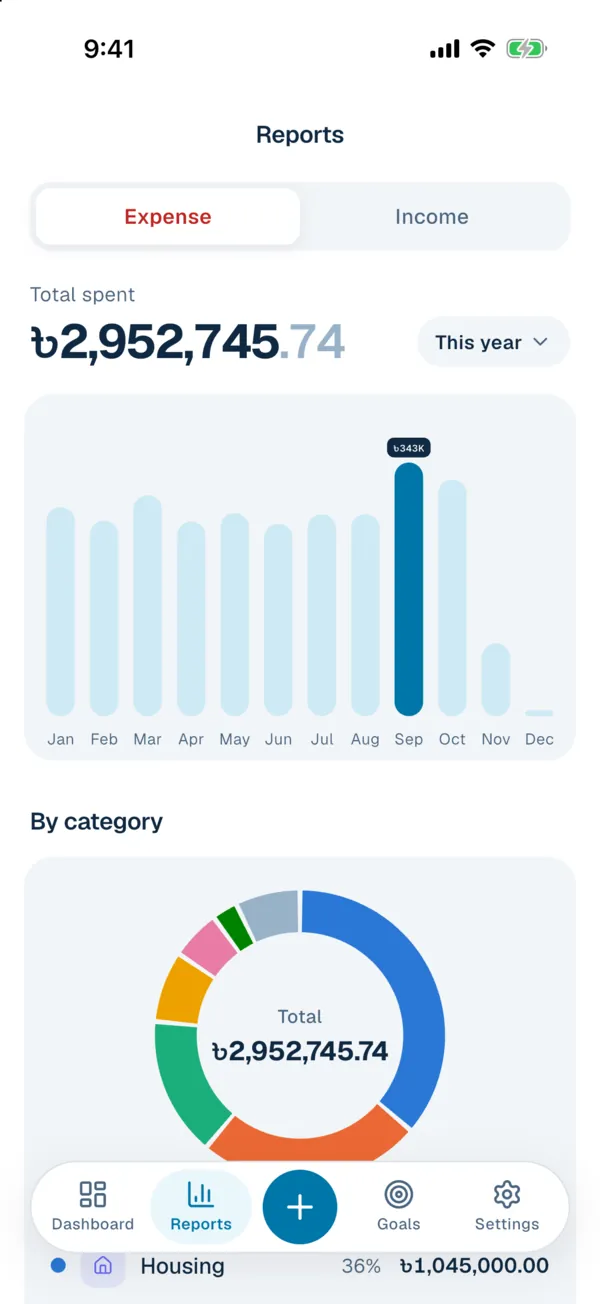
An amount keypad, category icons, accounts and payees one tap away, and recent transactions to repeat in one tap.
Attach a photo from the camera or library while adding a transaction or later from its page.
No signal? New transactions wait on the phone, receipts included, and sync on their own when you are back online.
Home screen widgets show this month's spending, budget left and the next bill, with a + button for quick add.
Instant alerts through the free ntfy app, or a background check that shows new alerts as phone notifications.
Lock the app with Face ID or fingerprint, and pick light, dark or follow the system.
The Android app is on its way to Google Play. Until then, you can build the APK yourself with the Flutter SDK and Android Studio:
git clone https://github.com/nayeemdev/ledgerfly.git
cd ledgerfly/mobile
flutter pub get
flutter build apk --release
Copy build/app/outputs/flutter-apk/app-release.apk to your phone and open it, allowing installs from that source when Android asks.
There is no App Store release yet, since publishing there needs a paid Apple developer account. You can still install it on your own device with a Mac, Xcode and the Flutter SDK.
flutter pub get in the mobile folder.mobile/ios/Runner.xcworkspace in Xcode.com.yourname.ledgerfly.group.com.nayeemdev.ledgerfly to your own on both targets. It is how the widget reads your numbers.flutter run --release.With a free Apple ID, apps you install yourself stop opening after 7 days and need to be run from Xcode again. If Xcode cannot sign the App Group with a free account, remove the widget target and the app still works.
On the sign in screen, tap Change next to the server address and enter your LedgerFly address, for example https://money.example.com. Then sign in with the same email and password as the web app. Two-factor codes and recovery codes work too.